Does Loxone Work with Alexa? Complete Setup Guide (2026)
Yes - Loxone works with Alexa. Using LoxVoice, you can link your Loxone Miniserver to Amazon Alexa in about 5 minutes, with no additional hardware, no port forwarding, and no technical knowledge required. Every Echo device - from an Echo Dot to an Echo Show - can then control your lights, blinds, heating, and scenes with natural voice commands.
Out of the box, Loxone doesn't have a built-in Alexa skill. LoxVoice fills that gap: it acts as a secure cloud bridge between your Miniserver and Alexa's smart home platform, so your entire Loxone system appears in the Alexa app as a collection of controllable devices.
✓ No credit card required ✓ No hardware needed ✓ Works with every Echo device
How Does Loxone Connect to Amazon Alexa?
Loxone's Miniserver is an incredibly capable home automation controller, but Alexa doesn't know how to talk to it natively. The two systems use different protocols and need something to translate between them.
LoxVoice is that translator. It creates a secure, encrypted cloud connection to your Miniserver and presents all your Loxone devices to Alexa as standard smart home devices - lights, thermostats, covers, switches. When you speak a command, Alexa sends it to LoxVoice, which instantly executes it on your Miniserver.
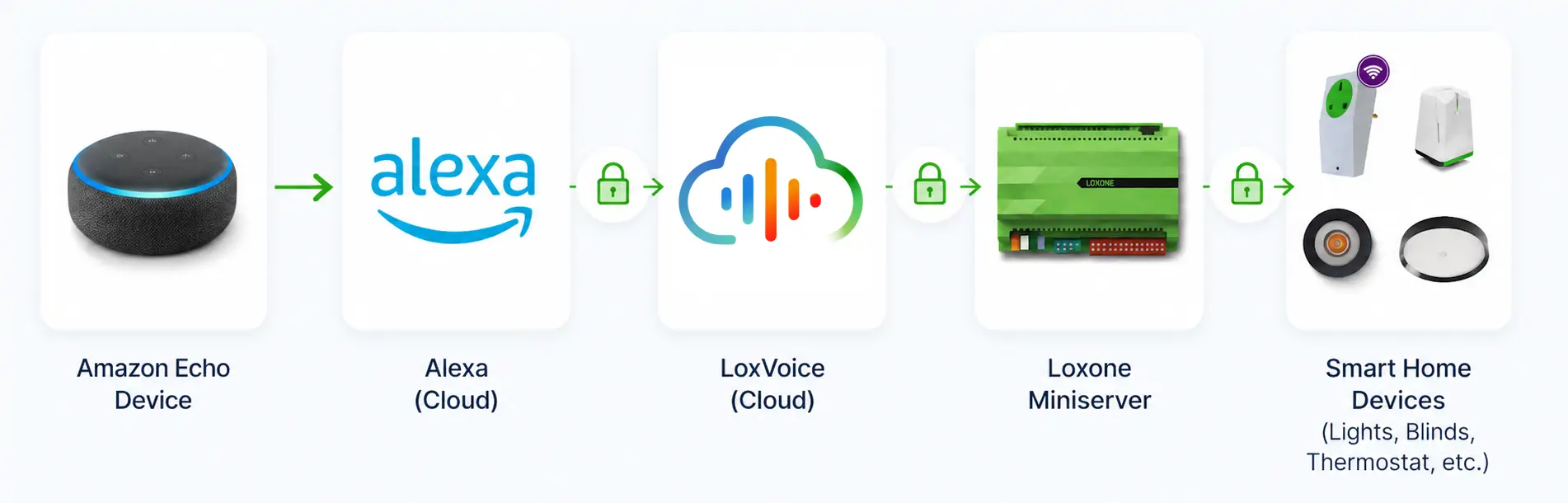
The whole round-trip happens in under a second. There's no polling delay, no timeout, and no need to have your Miniserver directly reachable from the internet — LoxVoice handles the secure relay so your network stays private.
What about the "turn on the blinds" problem?
If you've ever tried to control Loxone blinds with a DIY Alexa setup, you'll know the frustration: you have to say "Alexa, turn on the blinds" to close them, because basic integrations only understand on/off states — not open/close.
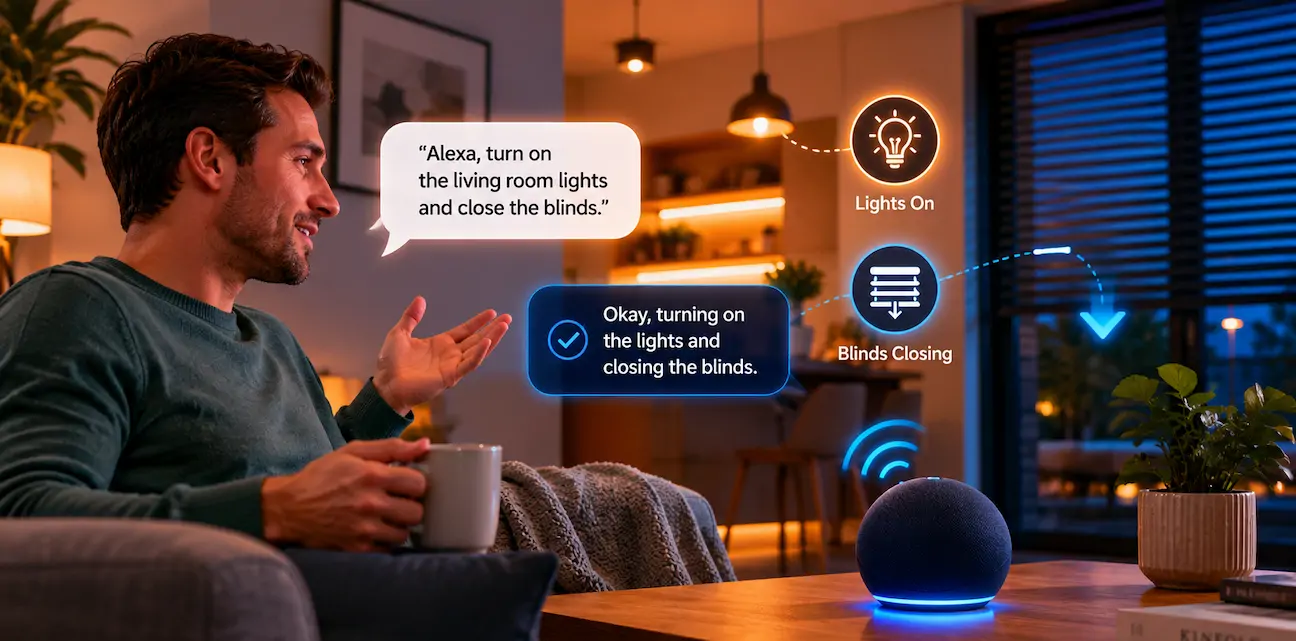
LoxVoice translates natural language properly. Say "Alexa, close the bedroom blinds" and they close. Say "Alexa, open the living room shades to 60%" and they go to exactly 60%. It works the way you'd expect it to from day one, with no renaming workarounds or awkward phrasing.
Ways to Connect Loxone to Alexa
There are a few routes to getting Alexa working with Loxone. Here's an honest look at each.
Option 1: LoxVoice (Recommended)
LoxVoice is a cloud service with an official Alexa skill in the Amazon skills store. Enable the skill, sign in, and every device in your Loxone configuration appears in the Alexa app ready to control. The setup takes around 5 minutes and requires no technical knowledge.
- Cost: $8.99/month or $89/year (30-day free trial)
- Setup time: ~5 minutes
- Technical knowledge required: None
- Natural commands: "Close the blinds", "Dim the lights to 40%"
- Google Assistant too: Both platforms included in one subscription
- Maintenance: Zero — fully managed cloud service
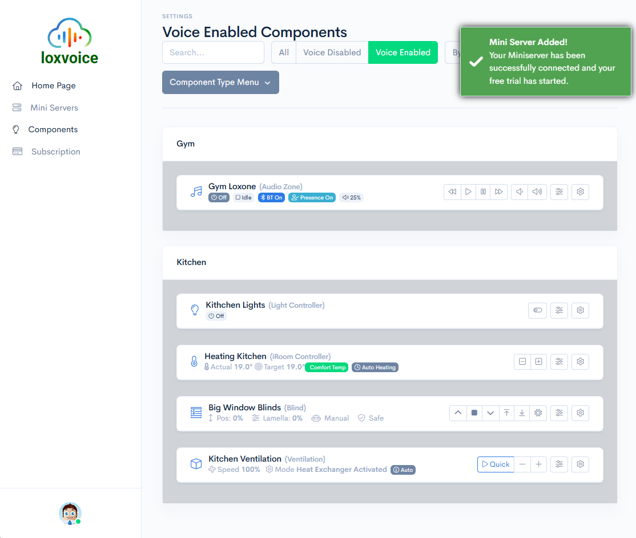
See the full Loxone Alexa integration guide, including screenshots and troubleshooting →
Option 2: Home Assistant (DIY)
Home Assistant can integrate Loxone with Alexa via its Nabu Casa cloud subscription ($6.50/month) or by self-hosting an Alexa Smart Home skill. The integration works well once set up, but "once set up" is doing a lot of heavy lifting in that sentence — you're looking at a Raspberry Pi, several hours of configuration, and periodic maintenance whenever updates break something.
If you already run Home Assistant for a wider smart home ecosystem, adding Loxone is a logical step. If Alexa and Loxone are your primary goal, the time investment is hard to justify.
Option 3: 1Home Hardware
1Home is a dedicated hardware bridge (~$1,119 upfront) that supports Alexa alongside a range of other platforms. It's a capable product aimed at professional installations — but the upfront hardware cost is significant, there's no free trial, and professional installation is recommended. For a straightforward Alexa + Loxone setup, the economics rarely stack up against a monthly subscription service.
Quick comparison
| Feature | LoxVoice | Home Assistant | 1Home |
|---|---|---|---|
| Setup time | 5 minutes | 8–12 hours | 2–4 hours |
| Upfront cost | $0 | $120 (hardware) | $1,119+ |
| Monthly cost | $8.99 | $0–6.50 | $0 |
| Free trial | ✓ 30 days, no card | ✗ | ✗ Buy hardware first |
| Natural "close blinds" command | ✓ Works natively | Requires manual config | ✗ "Turn on blinds" |
| Maintenance | None — managed | ~2 hours/month | Minimal |
| Also works with Google Home | ✓ Included | ✓ | ✓ |
| Port forwarding required | ✓ Not required | ✗ Usually needed | ✗ Required |
How to Connect Loxone to Alexa: Step-by-Step
Here's exactly how to enable Alexa control for your Loxone system using LoxVoice. Start to finish, this takes about 5 minutes.
What you'll need
- Your Loxone Miniserver serial number or Cloud DNS address
- A Loxone user account with control permissions
- The Amazon Alexa app on your phone
- A LoxVoice account (free to create — no payment details needed)
Create your LoxVoice account and connect your Miniserver
Sign up at app.loxvoice.com. Once you're in, add your Miniserver by entering your Cloud DNS address or serial number along with your Loxone credentials. LoxVoice establishes an encrypted cloud connection in seconds — no port forwarding, no changes to your router or firewall.
Enable the LoxVoice skill in the Alexa app
Open the Amazon Alexa app on your phone or tablet. Tap More in the bottom navigation, then Skills & Games. Use the search icon to search for "LoxVoice" and tap on the result. Tap Enable to Use, then sign in with your LoxVoice account when prompted. Grant Alexa the required permissions to access your devices.
Organise your devices and start talking
In the Alexa app, go to Devices and you'll see all your Loxone lights, blinds, and controls already discovered. Optionally drag them into groups that match your rooms - this lets you say "Alexa, turn off the lights" in any room and Alexa will only control the lights for that specific room.
Try it in under 5 minutes
Create your free LoxVoice account, connect your Miniserver, and enable the Alexa skill. Your Loxone system is voice-controlled before your next cup of tea.
Start Free TrialView Full Alexa Guide30-day free trial · No credit card · Works with Google Home too
Alexa Voice Commands for Your Loxone Home
Once LoxVoice is connected, you speak to Alexa exactly as you'd expect. Here are the commands Loxone homeowners use most — all working natively, no renaming tricks required.
Lighting
- "Alexa, turn on the kitchen lights"
- "Alexa, dim the living room to 40%"
- "Alexa, turn off all the lights downstairs"
- "Alexa, brighten the bedroom lights"
- "Alexa, set the hallway to 20%"
Works with all Loxone lighting blocks - dimmers, RGBW, zones, and groups configured in Loxone Config.
Blinds and shades — the natural way
- "Alexa, close the bedroom blinds"
- "Alexa, open the living room shades"
- "Alexa, set the office blinds to 60%"
- "Alexa, close all the blinds"
Close means close. Open means open. No "turn on the blinds" workarounds.
Climate control
- "Alexa, what's the temperature in the bedroom?"
- "Alexa, set the living room to 21 degrees"
- "Alexa, increase the bedroom temperature by 2 degrees"
Scenes and Alexa Routines
- "Alexa, activate movie mode"
- "Alexa, good morning"
- "Alexa, good night"
- "Alexa, I'm leaving"
Trigger any Loxone mood or scene by name. Or build Alexa Routines that chain multiple Loxone actions to a single phrase.
Alexa Routines with Loxone
One of the most powerful features is using Alexa Routines to chain multiple Loxone actions together. Routines run on a schedule, a voice trigger, or an Alexa Guard event. A few examples of what LoxVoice customers set up:
- Morning routine: At 7am, open the bedroom blinds, turn the bathroom lights on, and set the kitchen to 22 degrees
- Leave home: Say "Alexa, I'm leaving" — all lights off, blinds closed, heating turned down
- Movie mode: One phrase dims the living room lights, closes the blinds, and switches on the TV scene
- Bedtime: "Alexa, good night" turns off all lights except the bedroom nightlight and sets the overnight temperature
Troubleshooting: Alexa and Loxone
Most issues are minor and resolve quickly. Here are the most common problems users encounter and how to fix them.
Alexa can't find the LoxVoice skill
Search for exactly "LoxVoice" — one word, no space. If the skill doesn't appear, make sure your Alexa app is updated to the latest version, and that you're searching in Skills & Games rather than the devices tab. The skill is available in the UK, US, and most English-language markets.
Devices appear in Alexa but commands don't work
First, check that your Miniserver shows as online (green status) in the LoxVoice dashboard. If it's offline, the issue is between your Miniserver and LoxVoice - check your Miniserver's internet connection. If the Miniserver is online but commands still fail, try asking Alexa to discover devices again: "Alexa, discover my devices."
Some Loxone devices don't appear in Alexa
LoxVoice discovers devices that are exposed through your Miniserver's configuration. If a device isn't appearing, check that it's enabled in LoxVoice's device settings (some device types need to be manually enabled for voice control). Virtual inputs, pushbuttons, and purely status-based outputs may not be discoverable by default.
Blinds are responding in the wrong direction
If saying "close" opens your blinds (or vice versa), this is a Loxone block orientation issue rather than a LoxVoice problem. In Loxone Config, check the Up/Down assignment for your blind blocks. Reversing the motor direction in the block settings will fix it without any changes in LoxVoice or Alexa. See the troubleshooting guide for step-by-step instructions.
Alexa says "Device is unresponsive"
This usually means LoxVoice can't reach your Miniserver at that moment — typically a brief network interruption or a Miniserver reboot. Wait 30 seconds and try again. If it persists, log in to the LoxVoice dashboard and check your Miniserver's connection status. A red indicator means LoxVoice can't reach it and you'll need to check your local network.
What If You Also Use Google Home?
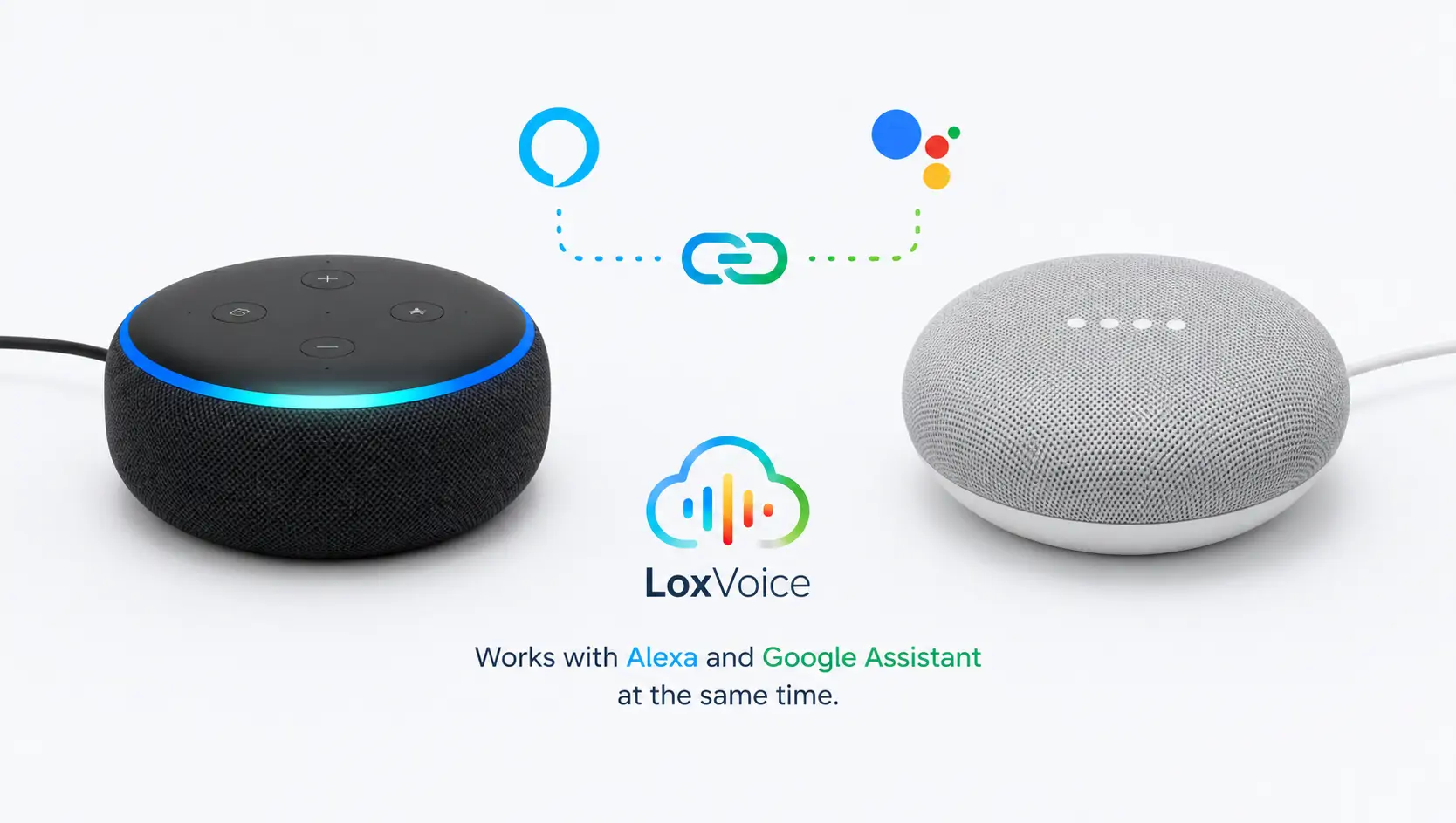
It's increasingly common for Loxone homes to have both Amazon Echo and Google Home devices - different speakers in different rooms, different family members with preferences. LoxVoice handles this without any additional cost or complexity.
A single LoxVoice subscription covers both Amazon Alexa and Google Assistant simultaneously. You connect your Miniserver once and link both voice assistants to the same LoxVoice account. Each platform sees all your Loxone devices and responds to commands independently - there's no conflict, no switching, and no double subscription.
Running Google Home speakers too?
Your LoxVoice subscription already includes Google Assistant support at no extra cost. See our dedicated guide for setup instructions, commands, and Google-specific tips.
Read the Google Home Guide →Which Alexa Devices Work with Loxone?
Every device that runs Amazon Alexa will work with LoxVoice - you don't need a specific model or generation. Here's a quick reference:
- Echo Dot (all generations) - affordable, compact, ideal for every room
- Echo (all generations) - better audio, still fully compatible
- Echo Show (5, 8, 10, 15) - screen-based control, shows device status visually
- Echo Studio - premium audio with full smart home support
- Echo Pop - compact and colour-customisable
- Fire TV - control Loxone via your TV remote's Alexa button
- Fire Tablets - Alexa control from any Fire tablet
- Alexa app - control your home via your phone when you're away
Frequently Asked Questions
Not from Loxone themselves. LoxVoice provides the Alexa integration through an official skill in the Amazon Skills store - search for "LoxVoice" in the Alexa app. It's built and maintained by Home Automate, a Loxone Gold Partner.
No. Once the LoxVoice skill is linked, Alexa treats all your Loxone devices as native smart home devices. You say "Alexa, turn on the kitchen lights" — not "Alexa, ask LoxVoice to turn on the kitchen lights." It works exactly like any other Alexa-compatible smart home device.
No — since LoxVoice uses a cloud-based connection, internet access is required for Alexa voice commands to reach your Miniserver. If your internet goes down, direct Loxone control via the Loxone app on your local network still works, since that connects locally.
Yes. You can have as many Echo devices as you like — one per room if you want. All of them connect to the same LoxVoice account and control the same Loxone system. There's no limit on Echo device count in the LoxVoice subscription.
Yes. A single LoxVoice subscription covers both. You link both the Alexa skill and the Google Home Works with Google service to the same LoxVoice account, and both platforms control your Loxone system simultaneously. See the Google Home guide →
LoxVoice is $8.99/month or $89/year. A 30-day free trial is included with no credit card required. There's no hardware to buy and no setup fee. See full pricing →
Conclusion
Loxone and Alexa work together seamlessly - you just need LoxVoice to bridge them. The LoxVoice skill enables natural language control from any Echo device, with commands that actually make sense: close means close, dim means dim, no awkward workarounds required.
If your home already has Google speakers alongside your Echo devices, your LoxVoice subscription covers both platforms simultaneously. One connection, two voice assistants, your entire Loxone system — all for $8.99/month.
The 30-day free trial requires no payment details and takes about 5 minutes to set up. If it doesn't work for your system, you cancel and lose nothing. Given that the alternative is either $1,119 of hardware or a weekend of DIY configuration, that's a very low bar to try it.
Connect Loxone to Alexa today
30-day free trial. No credit card. Works with every Echo device. Includes Google Home support too.
Start Free TrialView Pricing Plans$8.99/month or $89/year after trial · Cancel anytime · Built by Loxone Gold Partners