Does Loxone Work with Google Home? Complete Setup Guide (2026)
Yes - Loxone works with Google Home. Using LoxVoice, you can connect your Loxone Miniserver to Google Assistant in about 5 minutes, with no additional hardware and no port forwarding. Once connected, you can control your lights, blinds, climate, and scenes using completely natural voice commands.
Loxone doesn't have a built-in Google Home integration - but that's exactly what LoxVoice was built to solve. It acts as a secure bridge between your Miniserver and Google's smart home ecosystem, and it works with every Google device: Nest Mini, Nest Hub, Nest Hub Max, Android phones, and more.
✓ No credit card required ✓ No hardware needed
How Does Loxone Connect to Google Home?
Loxone's Miniserver is a powerful automation controller, but it doesn't natively speak Google's smart home language. The two systems need a translator - and that's exactly what LoxVoice provides.
LoxVoice creates a secure, encrypted cloud connection between your Loxone Miniserver and Google's home automation platform. When you speak to your Google Home device, the command travels to Google's servers, then to LoxVoice, which translates it into something your Miniserver understands and executes instantly.
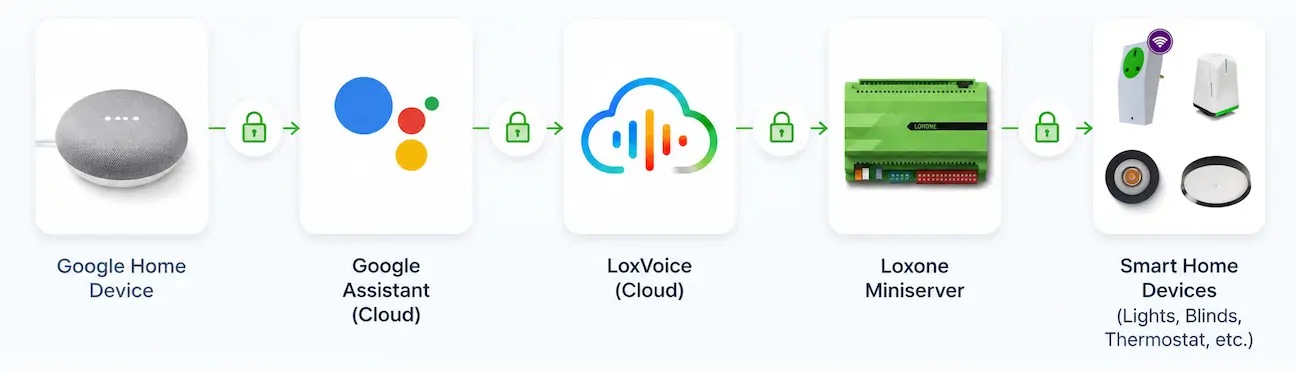
The whole process happens in under a second - you speak, and your home responds. No port forwarding required, no exposing your Miniserver to the internet, and no technical knowledge needed to set it up. The whole process happens in under a second - you speak, and your home responds. No port forwarding required, no exposing your Miniserver to the internet, and no technical knowledge needed to set it up.
What makes LoxVoice different from DIY alternatives?
There are DIY ways to connect Loxone to Google Home — Home Assistant being the most popular — but they require significant technical effort: setting up a Raspberry Pi or server, configuring integrations, and ongoing maintenance whenever something breaks after an update.
LoxVoice is fully managed. We handle the infrastructure, updates, and uptime — you just use it. If you've ever spent a weekend trying to get Home Assistant to reconnect after an update, you'll immediately understand the value.
Ways to Connect Loxone to Google Home
There are three main approaches. Here's an honest breakdown of each.
Option 1: LoxVoice (Recommended)
LoxVoice is the fastest and most reliable way to get Google Home working with your Loxone system. It's cloud-based, so there's no hardware to install, and setup genuinely takes about 5 minutes from signup to saying your first voice command.
- Cost: $8.99/month or $89/year (30-day free trial)
- Setup time: ~5 minutes
- Technical knowledge required: None
- Natural language: Say "close the blinds" — not "turn on the blinds"
- Supports Alexa too: Both assistants included in one subscription
See our full Google Assistant setup guide →
Option 2: Home Assistant (DIY)
Home Assistant is a free, self-hosted home automation platform with a Loxone integration. It can bridge your Miniserver to Google Home, but it requires:
- A dedicated device to run it (Raspberry Pi 4, ~$80–120)
- 6–10 hours of initial setup
- Regular maintenance and troubleshooting
- Technical comfort with YAML configuration and networking
If you already run Home Assistant for other devices, adding Loxone is a reasonable extension. If you're starting from scratch just to get Google Home working with Loxone, it's a significant time investment for something LoxVoice handles in 5 minutes.
Option 3: 1Home Hardware
1Home is a hardware device (~$1,119 upfront) that sits on your network and bridges Loxone to multiple platforms including Google Home. It offers Matter support and broader ecosystem integration.
The trade-off: a four-figure upfront cost, professional installation recommended, and no free trial. For most homeowners who simply want reliable Google Home control, it's difficult to justify versus a $8.99/month subscription with a 30-day trial.
Quick comparison
| Feature | LoxVoice | Home Assistant | 1Home |
|---|---|---|---|
| Setup time | 5 minutes | 6–10 hours | 2–4 hours |
| Upfront cost | $0 | $80–120 (hardware) | $1,119+ |
| Monthly cost | $8.99 | $0 (self-hosted) | $0 |
| Free trial | ✓ 30 days, no card | ✗ | ✗ Buy hardware first |
| Natural commands | ✓ "Close blinds" | Depends on config | ✗ "Turn on blinds" |
| Maintenance required | None — fully managed | ~2 hours/month | Minimal |
| Also works with Alexa | ✓ Included | ✓ | ✓ |
| Technical knowledge | None required | Moderate–Advanced | Some required |
How to Connect Loxone to Google Home: Step-by-Step
Here's how to set up Google Home with Loxone using LoxVoice. The entire process takes about 5 minutes.
What you'll need
- Your Loxone Miniserver serial number (or Cloud DNS address)
- A Loxone user account with control permissions
- The Google Home app on your phone
- A LoxVoice account (free to create, no card required)
Create your LoxVoice account and connect your Miniserver
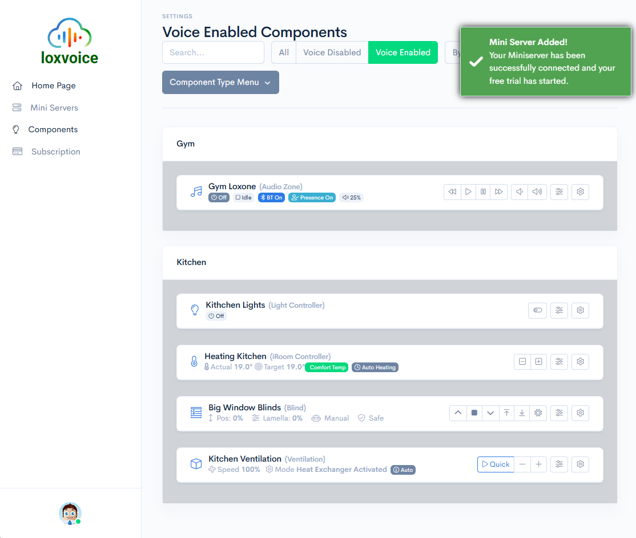
Go to app.loxvoice.com and create your free account. Then enter your Miniserver's Cloud DNS address or serial number and your Loxone credentials. LoxVoice creates an encrypted cloud connection — no port forwarding, no network changes needed.
Link LoxVoice in the Google Home app
Open the Google Home app on your phone. Tap the + icon in the top left, select Set up device, then Works with Google. Search for "LoxVoice", tap it, and sign in with your LoxVoice account when prompted. Google will automatically sync all your Loxone devices.
Start controlling your home
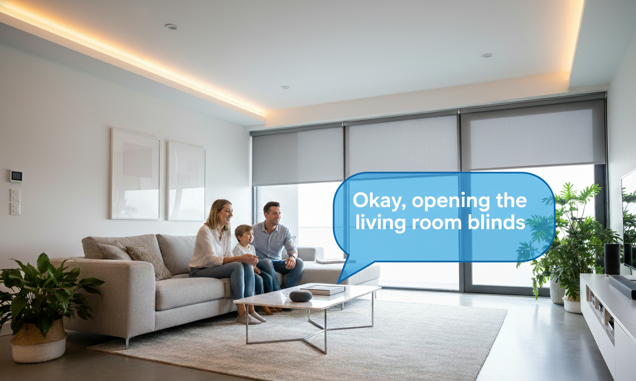
That's it. Try saying "Hey Google, turn on the living room lights" or "Hey Google, close the bedroom blinds". Your Loxone system responds immediately.
Ready to try it yourself?
Full 30-day trial with no credit card required. Your Loxone system connected to Google Home in under 5 minutes.
Start Free TrialView Full Setup GuideIncludes both Google Assistant and Amazon Alexa support on one subscription
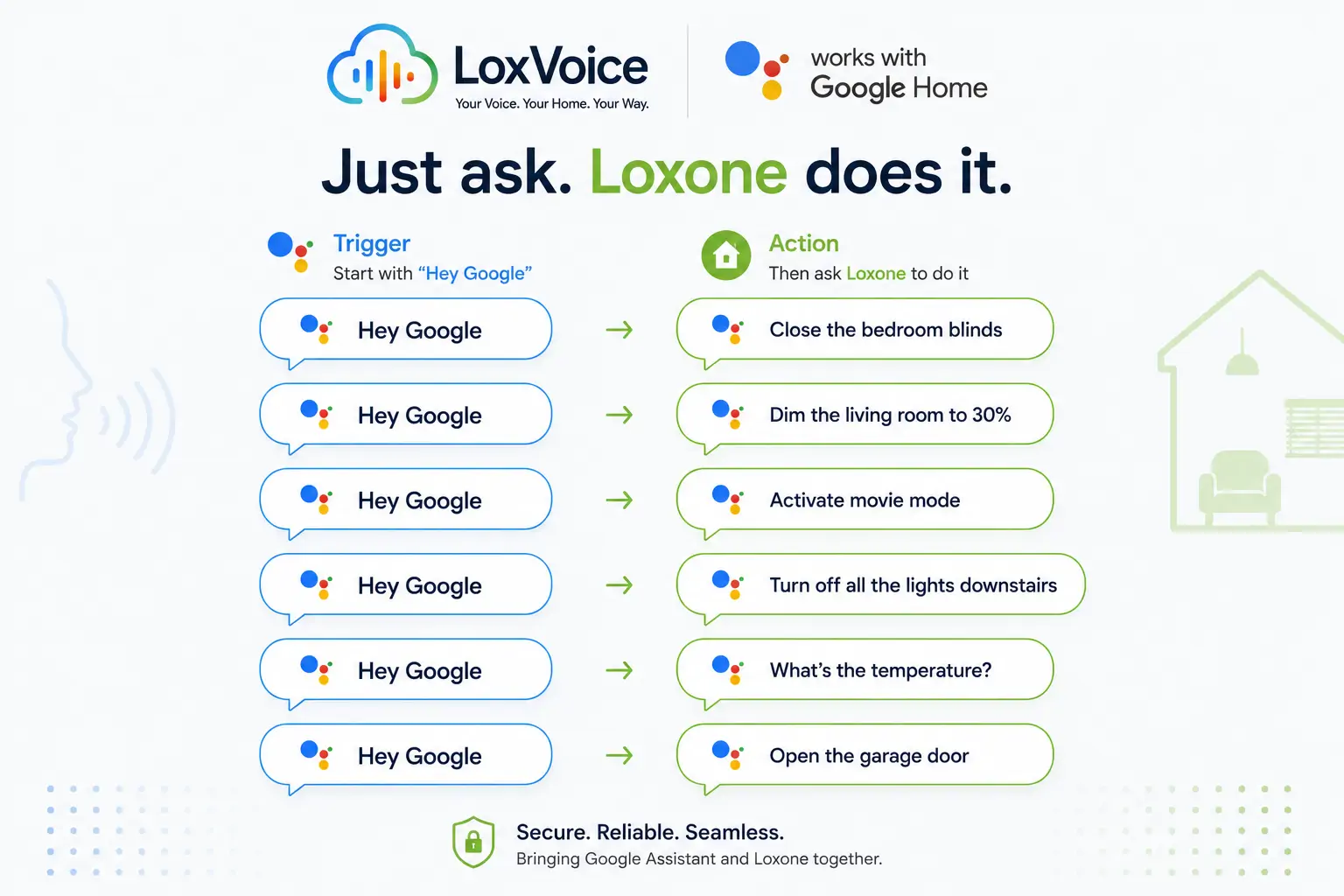
Google Home Voice Commands for Loxone
One of the biggest advantages of LoxVoice is natural language support. Most alternative setups require workarounds — like saying "turn on the blinds" to close them — because the system only understands on/off states. LoxVoice translates what you actually mean.
Lighting
- "Hey Google, turn on the kitchen lights"
- "Hey Google, dim the living room to 40%"
- "Hey Google, turn off all the lights downstairs"
- "Hey Google, brighten the bedroom"
Blinds and shades
- "Hey Google, close the bedroom blinds" — closes them (not "turn on")
- "Hey Google, open the living room shades"
- "Hey Google, set the office blinds to 60%"
- "Hey Google, close all the blinds"
Climate and temperature
- "Hey Google, what's the temperature in the bedroom?"
- "Hey Google, set the living room to 21 degrees"
- "Hey Google, increase the bedroom temperature"
Scenes and routines
- "Hey Google, activate movie mode" — triggers a Loxone mood/scene
- "Hey Google, good morning" — open blinds, lights on, temperature adjusted
- "Hey Google, good night" — everything off, security armed
Troubleshooting: Google Home and Loxone
Most connection issues are minor and quick to fix. Here are the most common problems and their solutions.
Google Home can't find LoxVoice
Make sure you're searching for "LoxVoice" (not "Lox Voice" with a space) in the Works with Google search. If it doesn't appear, try restarting the Google Home app and searching again. You must be logged in to the same Google account that controls your Google Home devices.
Devices synced but commands aren't working
First, try saying "Hey Google, sync my devices" — this forces a fresh device sync between Google and LoxVoice. If the problem persists, check that your Miniserver is online in the LoxVoice dashboard. A green status indicator means LoxVoice can reach your Miniserver.
Some devices aren't showing up
Only devices that LoxVoice can discover from your Miniserver configuration will appear in Google Home. If a specific device is missing, check that it's enabled and correctly configured in Loxone Config. Virtual outputs and custom blocks may not be automatically discoverable.
Commands are slow to respond
Response times above 2–3 seconds usually indicate a network issue on your Miniserver's side rather than a LoxVoice problem. Check your Miniserver's internet connection and make sure it's running the latest firmware. LoxVoice's cloud infrastructure is designed for sub-second response times.
Blinds open when you say "close"
This is a Loxone configuration issue rather than a LoxVoice problem - specifically how your blind blocks are configured in Loxone Config. LoxVoice passes the "close" command correctly; if the blind responds incorrectly it's usually a block orientation setting. Check the LoxVoice troubleshooting guide for step-by-step fixes.
What If You Also Use Amazon Alexa?
Many Loxone homes have a mix — Google Home speakers in some rooms, Amazon Echo devices in others. With LoxVoice, that's not a problem.
A single LoxVoice subscription covers both Google Assistant and Amazon Alexa simultaneously. You connect your Miniserver once, then link both voice assistants to the same LoxVoice account. Commands from either platform reach your Loxone system instantly.
This matters in practice. If your Google Home is in the living room and your Echo is in the kitchen, family members can use whichever device is closest without switching apps, changing settings, or paying for two services.
Complete Alexa integration guide
Running Amazon Echo devices alongside Google Home? Our dedicated Alexa guide covers setup, commands, routines, and troubleshooting for Alexa with Loxone.
Read the Loxone Alexa Guide →Frequently Asked Questions
Not officially - Loxone doesn't have a built-in Works with Google skill. LoxVoice provides this integration as a cloud service, connecting your Miniserver to Google Assistant in about 5 minutes with no hardware required.
All of them - Google Nest Mini, Google Home, Nest Hub, Nest Hub Max, Chromecast with Google TV, Android phones and tablets, and any other Google Assistant-enabled device. If it runs Google Assistant, it works with LoxVoice.
Yes. LoxVoice supports both Google Assistant and Amazon Alexa on a single subscription. You connect your Miniserver once and link both voice assistants. See our Alexa integration guide →
Any device configured in your Loxone system: lights, blinds and shades, heating and cooling zones, outlets, scenes, and mood settings. You can also query sensor values - "What's the temperature in the bedroom?" - which reads from your Loxone sensors.
No. LoxVoice uses a secure cloud-based connection to reach your Miniserver. Your Miniserver doesn't need to be exposed to the internet, and you don't need to configure port forwarding or VPNs. See how the connection works →
LoxVoice costs $8.99/month or $89/year. There's a 30-day free trial with no credit card required. No hardware costs. Compared to the $1,119+ for a 1Home server, or the 6-10 hours of setup time for a DIY solution, it's by far the most cost-effective option. See full pricing →
Conclusion
Loxone works brilliantly with Google Home — you just need LoxVoice to bridge the two. The setup is genuinely quick, the natural language support is excellent (no more "turn on the blinds" to close them), and at $8.99/month with a 30-day free trial, the barrier to getting started is about as low as it can be.
If you're also running Amazon Echo devices in your home, the same subscription covers Alexa too — one connection, both platforms, your entire Loxone system voice-controlled however you prefer.
The easiest next step is to start the free trial and follow the setup guide. Most users have Google Home working with Loxone before they finish their cup of coffee.
Connect your Loxone to Google Home today
30-day free trial. No credit card. No hardware. Works with Google Home and Amazon Alexa.
Start Free TrialView Pricing Plans$8.99/month or $89/year after trial · Cancel anytime · Loxone Gold Partner support